Buyer's guide · business robots
Best 3D Printers in 2026
The honest buyer's guide to 3D printers in 2026: FDM vs resin, Bambu vs Prusa, speed vs openness, and real running costs explained.
Disclosure: We earn commissions from links on this page, as an Amazon Associate we earn from qualifying purchases, at no extra cost to you. This never affects what we recommend. Read our editorial standards →
Bambu Lab
P2S
Model: P2S
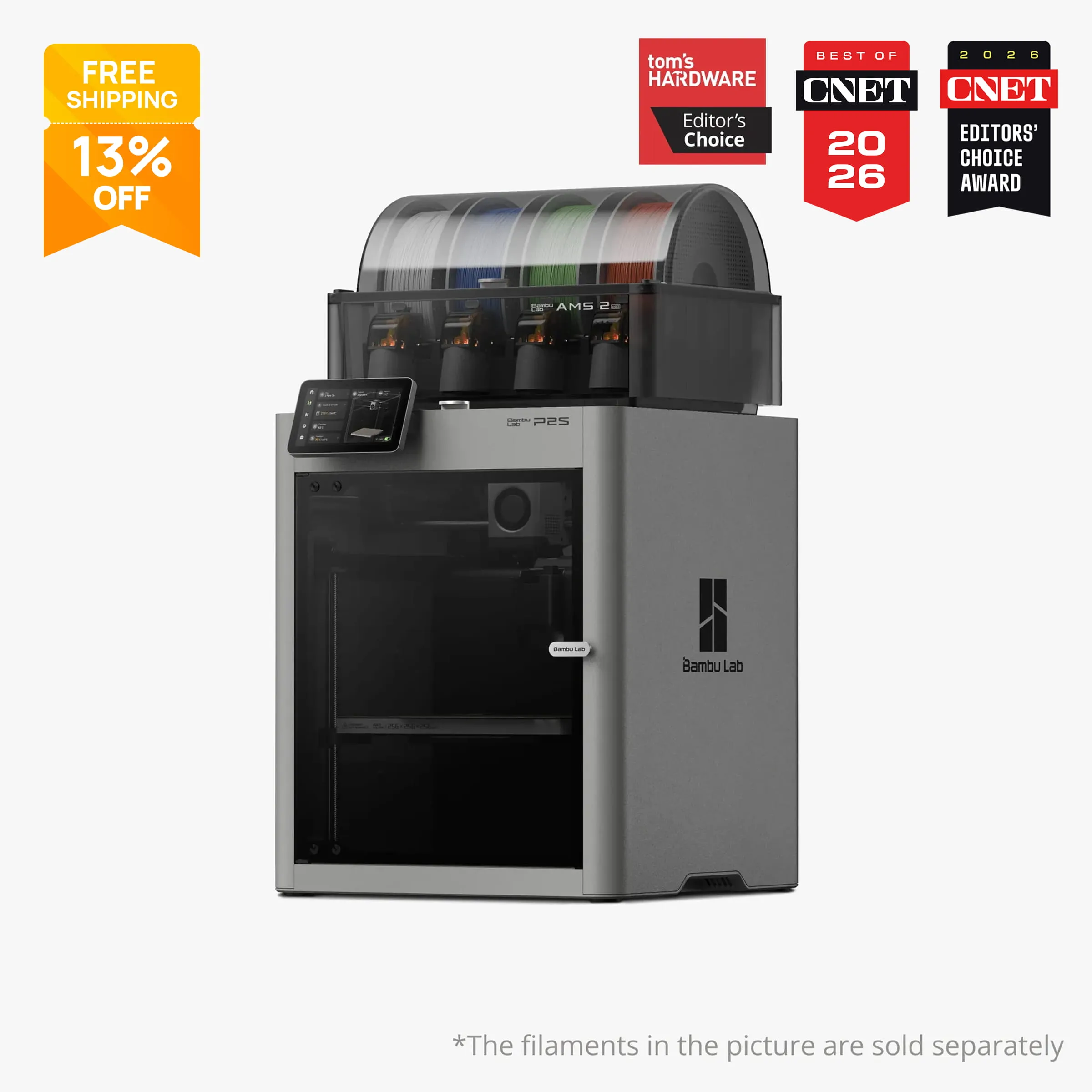
The P2S, launched in October 2025 as the direct successor to the P1S, is the strongest balance of speed, print quality, and out-of-box reliability we found at this price point. Its enclosed CoreXY chassis reaches 600 mm/s with 20,000 mm/s² acceleration, a PMSM servo extruder (not a standard stepper), and a 1080p AI camera that monitors for failures in real time. The 256 x 256 x 256 mm build volume is generous for most home and small-business projects, and the printer handles PLA, PETG, ABS, ASA, PA, PC, and fiber-filled variants without swap-outs. The main honest caveat: Bambu's cloud-dependent authentication system and the cease-and-desist it sent over an open-source project in 2026 are real concerns for users who want full offline or third-party-tool control. If that matters to you, the Prusa CORE One+ earns the pick instead.
Bambu Lab
A1 mini
Model: A1 mini
The A1 mini is the most beginner-accessible printer we found in 2026. It ships ready to print within roughly 15 minutes of unboxing, requires no manual bed leveling, and runs quietly enough for an apartment. The 180 x 180 x 180 mm build plate is a real constraint (about the size of a cantaloupe), so measure your intended projects before buying. With the AMS Lite combo, it prints up to four colors in a single session. The open-frame design does limit it to PLA, PETG, and TPU, so it is not the right choice if ABS or engineering filaments are on your roadmap. For pure ease of entry, nothing else we researched comes close at the price.
Elegoo
Centauri Carbon
Model: Centauri Carbon
The Elegoo Centauri Carbon delivers a fully enclosed CoreXY chassis with a 256 x 256 x 256 mm build volume, hardened steel nozzle, automatic four-point bed leveling, 500 mm/s max speed, and 320°C hotend capability for abrasive filaments, all for around $299. A newer multicolor model, the Centauri Carbon 2 Combo with the Canvas system, runs about $449 (launched January 2026). Reviewers at 3D Printing Industry described it as high-speed printing for under $300, and it is one of the few fully enclosed printers at that price that can handle carbon-fiber-infused materials out of the box. The Elegoo slicer ecosystem is less mature than Bambu Studio or PrusaSlicer, but OrcaSlicer profiles exist and the printer is genuinely open to third-party software.
Bambu Lab
P1S Combo (with AMS)
Model: P1S Combo (with AMS)
The P1S Combo pairs an enclosed, 256 x 256 x 256 mm CoreXY printer with Bambu's AMS (Automatic Material System), which holds four spools and switches filaments automatically. Up to four AMS units can be chained for 16-color prints. The P1S runs at speeds comparable to the X1C and handles the same material range. With the newer AMS 2 Pro compatible upgrade (which adds active filament drying), the P1S Combo is one of the most practical multi-color FDM setups available to home users and small studios as of mid-2026. The P2S Combo at $799 supersedes it on raw specs, but the P1S Combo remains available at a lower street price and delivers the same multi-color capability.
Prusa
CORE One+
Model: CORE One+
The Prusa CORE One+ is the right answer for a small business that needs reliable, repeatable output it can actually repair and maintain without vendor permission. It runs Prusa's CoreXY kinematics with 0.9-degree motors for quiet, precise motion; an active thermal chamber that reaches 55°C for ABS and ASA; and Prusa's Nextruder with 360-degree cooling for strong overhangs. The build volume is 250 x 220 x 270 mm. Prusa reports a sub-1% claim rate across more than 500,000 units in service, spare parts are sold openly, and PrusaSlicer is a fully open-source slicer. The MMU3 multi-material unit (sold separately) adds five-color capability for shops that need it. The price and slower print speeds versus Bambu are real tradeoffs, but the repairability, open ecosystem, and Prusa's track record on firmware support make this the small-business workhorse we would trust for a 3-year production horizon.
Elegoo
Saturn 4 Ultra
Model: Saturn 4 Ultra
The Saturn 4 Ultra's mono LCD panel delivers XY resolution in the 14-19 micron range on the 16K variant, which captures detail like chainmail texture, facial expression, and fine cloth folds at a level FDM physically cannot match. It includes an intelligent tank heating system that keeps resin at 30°C for consistent layer adhesion, automatic leveling, a tilt-release mechanism that reduces FEP film failures, AI camera monitoring, and WiFi cluster printing. Creative Bloq described it as a resin printer that is not as intimidating as expected for beginners entering resin for the first time. The core constraint for all resin printers applies here: you need isopropyl alcohol and a wash-and-cure station ($40-$80 additional), a vented workspace, and nitrile gloves for every session. The Saturn 4 Ultra does not eliminate that chemistry; it makes the printing itself more reliable.
Creality
K1 Max
Model: K1 Max
The Creality K1 Max is one of the few enclosed CoreXY printers with a 300 x 300 x 300 mm build volume at a consumer price point. It reaches 600 mm/s with 20,000 mm/s² acceleration and includes an AI camera plus LIDAR for bed scanning and first-layer validation. For printing cosplay props, large terrain, or oversize functional parts, the build volume is a genuine differentiator versus the 256mm cubed Bambu and Prusa offerings. Tom's Hardware reviewed it as a bigger CoreXY with strong performance. The Creality print ecosystem is more DIY-oriented than Bambu, and the default slicer is less polished, but the K2 Plus (350 x 350 x 350 mm, about $1,308 as combo) is available if you need even more volume with multi-color capability.
Prusa
MK4S
Model: MK4S
The Prusa MK4S is the flagship bed-slinger in Prusa's lineup, and for users who prioritize repairability, open firmware, and a well-documented community over maximum speed, it is the clearest recommendation. The Nextruder with high-flow nozzle delivers 24 mm³/s volumetric flow (a 50% improvement over the standard MK4), input shaping and pressure advance are built into firmware, and Prusa reports sub-1% failure rates across a half-million-plus installed printers. Prusa's blog documented a permanent price reduction in 2025. The honest tradeoff: it is a bedslinger, so top speeds are lower than CoreXY designs, and the 250 x 210 x 220 mm build volume is smaller than the competition at this price. For a maker who wants a machine they can fully repair from published schematics and open-source firmware, there is nothing more documented or community-supported in 2026.
Home 3D printing crossed a practical threshold somewhere around 2023, and by mid-2026 the gap between “printer that works out of the box” and “printer that requires weeks of tuning” has widened considerably. The machines in this guide can produce functional, dimensionally accurate parts within an hour of unboxing. The honest question is no longer whether a desktop printer can be useful; it is which machine matches your use case, your tolerance for ecosystem lock-in, and what you expect to spend beyond the sticker price.
This guide covers FDM (filament-based) and resin printers separately, explains the Bambu-versus-open-source tradeoff honestly, and gives you concrete running costs. All prices are from manufacturer pages or verified retailer listings as of mid-2026 and are subject to change.
FDM vs Resin: Which Technology Do You Need?
FDM (Fused Deposition Modeling) melts plastic filament and deposits it in layers. It handles large objects, engineering-grade materials, and prints that need structural strength. You can print a bracket, a phone stand, a replacement part, or a full cosplay prop. The surface texture is visibly layered at standard settings, though fine-tuning and post-processing (sanding, priming) can smooth it. FDM is the right starting point for most people.
Resin (MSLA/LCD) uses UV light to cure a liquid photopolymer, layer by layer. The resolution difference is dramatic: the best resin machines deliver 14-19 micron XY accuracy versus roughly 200 microns for high-quality FDM. For tabletop miniatures, jewelry masters, dental models, and any print where surface smoothness and microscopic detail matter, resin is the correct tool. The practical cost: you need to handle liquid resin with gloves, wash prints in isopropyl alcohol, cure them under UV, and ventilate your workspace. A wash-and-cure station adds $40-$80 to the setup cost.
The short version: choose FDM if you need size, strength, and simplicity. Choose resin if you need detail and surface quality, and you are prepared for the chemistry.
The 2026 Printer Landscape: Who Makes What
Bambu Lab
Bambu Lab is the brand that reset expectations for the hobby. Every printer in the P and X1 lines, and the newer P2S and H2 series, uses an enclosed CoreXY motion system with automatic bed calibration, vibration compensation, and tight Bambu Studio software integration. Setup is genuinely fast (most users report first prints within 15-30 minutes of unboxing), and the output quality is consistently strong across materials.
The 2026 lineup (from entry to flagship) runs: A1 mini, A1, A2L (launched June 2026, 330 x 320 x 325 mm), P1S, P2S, X1C, X2D, H2S, H2D, and H2C. The H2C is a multi-function machine: it prints, laser engraves, cuts, and plots, with six-color printing and a seventh nozzle for supports or an additional color. That range is remarkable for a company that launched its first printer in 2022.
The ecosystem concern is real and documented. In January 2025, Bambu introduced an authorization mechanism that restricts third-party slicer access, remote control, and AMS configuration to Bambu-authenticated paths. In May 2026, Bambu sent a cease-and-desist to a developer who had used AGPL-licensed code to restore a feature Bambu removed, resulting in the OrcaSlicer-BambuLab project being shut down. Self-hosted alternatives exist (Bambuddy via Tailscale), but they require technical setup. For casual home use, this is a low-friction concern. For a business making production decisions on a 3-5 year horizon, the vendor lock-in deserves real consideration.
Prusa Research
Prusa’s reputation rests on repairability, transparent firmware, and documented reliability. The company publishes full schematics, sells every spare part, and PrusaSlicer is a fully open-source, community-maintained slicer. The MK4S is the mature bedslinger flagship (Prusa reports a sub-1% failure rate across 500,000+ units in service). The CORE One+ is Prusa’s enclosed CoreXY answer to Bambu, with active chamber heating to 55°C for ABS and ASA.
The tradeoff: Prusa machines are more expensive than comparable Bambu or Creality options, and they do not match Bambu’s peak print speeds. You pay for openness, repairability, and a company that has never (as of mid-2026) tried to restrict third-party tool access. For a business that needs to own its workflow outright, that is a genuine value.
The Original Prusa Mini+ remains available as a compact, affordable bedslinger with a 180 x 180 x 180 mm build volume and a strong community. At around $429 for the kit, it suits a secondary or dedicated specialist machine more than a primary workhorse role in 2026.
Creality
Creality competes primarily on build volume and value. The K1 Max stands out for its 300 x 300 x 300 mm enclosed CoreXY build space at a consumer price. The K2 Plus Combo (350 x 350 x 350 mm with multi-color CFS unit, around $1,308) is one of the few large-format multi-color options below the professional price tier. Creality’s Ender 3 V3 series remains the entry point for users who want maximum tinkering latitude and a vast community of mods at the cost of more setup effort.
The Creality ecosystem is more open than Bambu’s; these printers generally work with Orca Slicer and other third-party tools without restriction. The slicer, build quality, and auto-calibration experience are less polished than Bambu at equivalent price points, which is the honest tradeoff.
Elegoo
Elegoo occupies two distinct roles in this market. On the FDM side, the Centauri Carbon (and the newer Centauri Carbon 2 Combo) are among the most competitive budget-enclosed CoreXY machines available, with build quality that reviewers found surprising at the price. On the resin side, Elegoo’s Saturn and Mars lines are the dominant consumer choice. The Saturn 4 Ultra (12K at $399, 16K at $499) and the Mars 5 Ultra (9K at around $269) lead the category for home resin printing in 2026. Elegoo’s ecosystem is open: it works with Chitubox, Lychee Slicer, and other third-party resin slicers without restriction.
Key Buying Dimensions
Print Speed: CoreXY vs Bedslinger
CoreXY printers (Bambu P2S, X1C, Prusa CORE One+, Creality K1 Max, Elegoo Centauri Carbon) move the printhead in X and Y while the bed only moves in Z. This allows much higher accelerations without the mass of a moving bed causing vibrations. All the fast machines in this guide are CoreXY.
Bedslingers (Prusa MK4S, Ender 3 V3 series) move the bed in Y, which is simpler and cheaper to build but limits practical speed because bed inertia creates vibrations at high accelerations. With firmware input shaping, modern bedslingers are faster than they used to be, but a Prusa MK4S at its realistic working speeds is still slower than a P2S or CORE One+.
For most home users, the speed difference matters mainly for time per print, not quality. A 10-hour CoreXY print and a 10-hour bedslinger print of similar quality still take 10 hours.
Enclosure: Required for Engineering Materials
ABS, ASA, nylon, and polycarbonate all require a stable, warm ambient temperature to prevent warping and layer delamination. An enclosure is not optional for those materials; it is a mechanical requirement. Every pick in this guide at the P1S/P2S/CORE One+/K1 Max level includes a full enclosure with a heated chamber.
PLA and PETG print fine on open machines. If your projects are entirely PLA and PETG, an enclosure is useful for noise and draft reduction but not strictly necessary.
Auto-Calibration and First-Layer Quality
First-layer calibration is where most beginner frustration occurs. Bambu’s printers use a combination of strain gauges, accelerometers, and the Bambu Studio flow-rate calibration to handle this largely automatically. Prusa’s CORE One+ and MK4S use the Nextruder with first-layer calibration built into the startup sequence. The Elegoo Centauri Carbon uses four pressure sensors for automatic leveling.
None of these systems are fully magic: a first-layer calibration that works perfectly on a cold machine can drift after the machine heats up, and machines shipped internationally can arrive with shipping-induced misalignment. Plan to spend 20-30 minutes on first-layer calibration for any new printer regardless of brand.
Multi-Color Printing
Bambu’s AMS (Automatic Material System) is the most refined multi-color implementation in consumer FDM as of mid-2026. A single AMS holds four spools; four AMS units can be chained for 16-color prints. The AMS 2 Pro adds active filament drying. Each color transition purges the old material, producing 2-10 grams of waste per transition (the “poop”). For a highly colorful print, waste material can add 50-150 grams to your total material cost per session.
Prusa’s MMU3 (sold separately, ~$249) adds five-material capability to the MK4S and CORE One+ with a buffer-and-selector mechanism. It is generally considered more technically demanding to set up than the AMS but produces comparable results once dialed in. Elegoo’s Canvas module (included in the Centauri Carbon 2 Combo at ~$449) is the budget multi-color option.
Open Ecosystem vs Closed Ecosystem
This is the clearest value dimension in the current market:
Bambu printers work best in the Bambu Studio / Bambu cloud ecosystem. As documented above, third-party tool access has been progressively restricted. After Bambu’s 2025 authorization changes described above, OrcaSlicer (a popular Bambu-compatible open-source slicer) lost direct access to Bambu’s cloud integration. You can still use third-party slicers by exporting G-code and sending it manually, but the seamless integration that defines the Bambu experience requires the Bambu stack.
Prusa, Elegoo, and Creality machines are broadly compatible with PrusaSlicer, OrcaSlicer, Cura, and other third-party tools without restriction. If you want to run a print farm, integrate with home automation, or script your workflow, the open ecosystem is the practical choice.
Noise
All enclosed printers are quieter than open machines. Bambu’s A1 mini and P2S include active noise cancellation for stepper motors. The Prusa CORE One+ uses 0.9-degree motors that produce a noticeably different (and quieter) sound signature than standard steppers. For an apartment or shared workspace, any enclosed printer with active noise reduction is the right category.
Running Costs
Beyond the printer purchase:
Filament: PLA runs $15-$22/kg from mainstream brands (eSUN, Overture, Bambu). PETG runs $18-$28/kg. ABS and ASA run $16-$28/kg. Engineering filaments (PA-CF, PET-CF) run $30-$80+/kg. SpoolPrices tracks current pricing across suppliers.
Electricity: A standard FDM desktop printer draws 100-250 watts. At US average residential rates (~$0.16/kWh), a 10-hour print costs $0.16-$0.40 in electricity.
Nozzle wear: Brass nozzles ($3-$8 each) handle PLA and PETG well for hundreds of hours but wear quickly with carbon-fiber and abrasive filaments. Hardened steel nozzles ($8-$20 each) are the correct choice for abrasive materials. Most enclosed printers now ship with hardened steel as standard.
Resin: Photopolymer resin runs $25-$60 per liter. FEP film (the transparent layer at the bottom of the resin vat) needs replacement every 2-6 months depending on use (~$10-$20 per sheet). Isopropyl alcohol for washing prints costs roughly $15 per gallon. Factor in a wash-and-cure station ($40-$80) as a one-time purchase for any resin setup.
Maintenance reserves: A well-maintained FDM printer typically needs $50-$150 per year in consumables beyond filament (nozzles, PEI sheet replacement, lubricant, belts over time). Prusa’s open spare-parts model is an advantage here; third-party compatible parts for Bambu printers are available but not officially supported.
The Bambu vs Prusa Tradeoff: A Direct Comparison
If you are choosing between a Bambu P2S and a Prusa CORE One+, here is the honest framing:
The P2S is faster, ships with a more polished out-of-box experience, and costs less ($549 vs $1,199 assembled). Its cloud-based workflow is genuinely convenient. The tradeoff is that you are renting access to your own printer’s full feature set to some degree. If Bambu changes its authentication terms, restricts third-party add-ons further, or has a service disruption, some features may be unavailable without workarounds.
The CORE One+ costs more and prints more slowly. In return, you own the machine outright in the software sense: open firmware, open slicer, fully published schematics, spare parts sold without friction. For a home user who wants to set and forget, the P2S wins on convenience and value. For a business building a production workflow they need to control and maintain independently for three to five years, the CORE One+ earns its premium.
Neither choice is wrong. The question is which risk you are more comfortable carrying.
Who Should Buy What
Just getting started, want it to work immediately: Bambu Lab A1 mini (about $299). Read the build volume constraint (180mm) before ordering.
Best all-around printer for home use or a maker studio: Bambu Lab P2S (about $549). Among the fastest and most polished at the price, with a mature ecosystem. Accept the cloud dependency.
Budget-conscious, want an enclosed CoreXY: Elegoo Centauri Carbon (about $299). Genuine enclosed CoreXY with abrasive-filament capability at a price few competitors match.
Multi-color printing is a priority: Bambu P1S Combo with AMS (about $599-$750). The most refined multi-color FDM workflow available to consumers.
Small business, need to own your workflow: Prusa CORE One+ (about $1,199 assembled). Slower than Bambu, but fully repairable, fully open, and documented to run reliably for years.
Large parts (cosplay, terrain, props): Creality K1 Max (street price around $449-$599 for 300mm build volume) or Creality K2 Plus Combo (~$1,308 for 350mm with multi-color).
Miniatures, jewelry, detailed models: Elegoo Saturn 4 Ultra (about $399-$499). Nothing at this price point competes on resin resolution.
Open-source, maximum community support, prefer a kit: Prusa MK4S (about $799 kit / $1,099 assembled). One of the best-documented printers for long-term ownership.
If you need to cut material away instead of adding it, see our guide to the best CNC machines in 2026 (/guides/best-cnc-machines-2026/).
Frequently asked questions
What is the difference between FDM and resin 3D printing?
Is Bambu Lab's cloud dependency a real concern?
Can you run a small business on a consumer 3D printer?
What does multi-color printing actually cost and require?
What filament should a beginner start with?
Do 3D printers need to be in a vented room?
What are the real running costs of a 3D printer?
Sources
Every claim in this guide that isn't first-person experience is traceable to one of the sources below. URLs verified at publication; some may rot. Let us know if so.
- Bambu Lab P2S product page · Bambu Lab, 2025-2026P2S specs, pricing, and feature list (servo extruder, AMS 2 Pro compatibility)
- Bambu Lab H2 Series overview · Bambu Lab, 2026H2C, H2D, H2S specs and multi-function capabilities
- Bambu Lab A1 mini product page · Bambu Lab, 2026A1 mini specs, 180mm build volume, AMS Lite combo pricing
- Bambu Lab A2L launch coverage · TCT Magazine, 2026A2L launch details: 330x320x325mm build volume, 500 mm/s speed, June 2026 availability
- Developer re-enables 3D printer features; Bambu Lab threatens legal action · Tom's Hardware, 2026Documents Bambu's authorization lockdown and C&D to OrcaSlicer-BambuLab developer
- Bambu Lab defends cloud lockdown amid open source backlash · Open Source For You, May 2026Covers Bambu's response to community criticism of ecosystem restrictions
- Prusa CORE One+ product page · Prusa Research, 2026CORE One+ specs, $1,199 assembled / $949 kit pricing, MMU3 compatibility
- Original Prusa MK4S product page · Prusa Research, 2026MK4S specs, $1,099 assembled / $799 kit pricing, Nextruder high-flow 24 mm³/s
- Prusa CORE One review (2026) · 3D Tech Valley, 2026Long-term testing, multi-color, price comparison vs Bambu and Creality K2
- Elegoo Centauri Carbon review · 3D Printing Industry, 2025-2026High-speed printing for under $300, specs and real-world print quality
- Elegoo Saturn 4 Ultra product page · Elegoo, 2026Saturn 4 Ultra specs: 12K/16K resolution, tank heating, tilt release, $399/$499 pricing
- Elegoo Saturn 4 Ultra review · Creative Bloq, 2025-2026Accessible resin printer review; beginner-friendly workflow, detail quality for miniatures
- Creality K1 Max product page · Creality, 2026K1 Max specs: 300x300x300mm, 600 mm/s, LIDAR, AI camera
- Creality K1 Max review · Tom's Hardware, 2025Review of K1 Max: bigger CoreXY, strong performance, open ecosystem